Introduction
Smartwatches promise health insights, quick alerts, and tools that simplify daily life. Many people ask the same thing: is a smart watch worth it. The answer comes down to what you value, how you move through your day, and which phone you carry. Modern watches track workouts and sleep, place calls, and even unlock doors. They also add costs, need regular charging, and can distract you if you do not manage alerts.
This guide breaks down the real benefits and real trade-offs so you can reach a clear decision. You will see what features matter and what you can skip. We cover price tiers, ongoing costs, and platform differences that affect daily use. You will also find a simple decision framework and a buying checklist. By the end, you can decide with confidence and avoid buyer remorse. First, let us look at what a smartwatch can do right now.
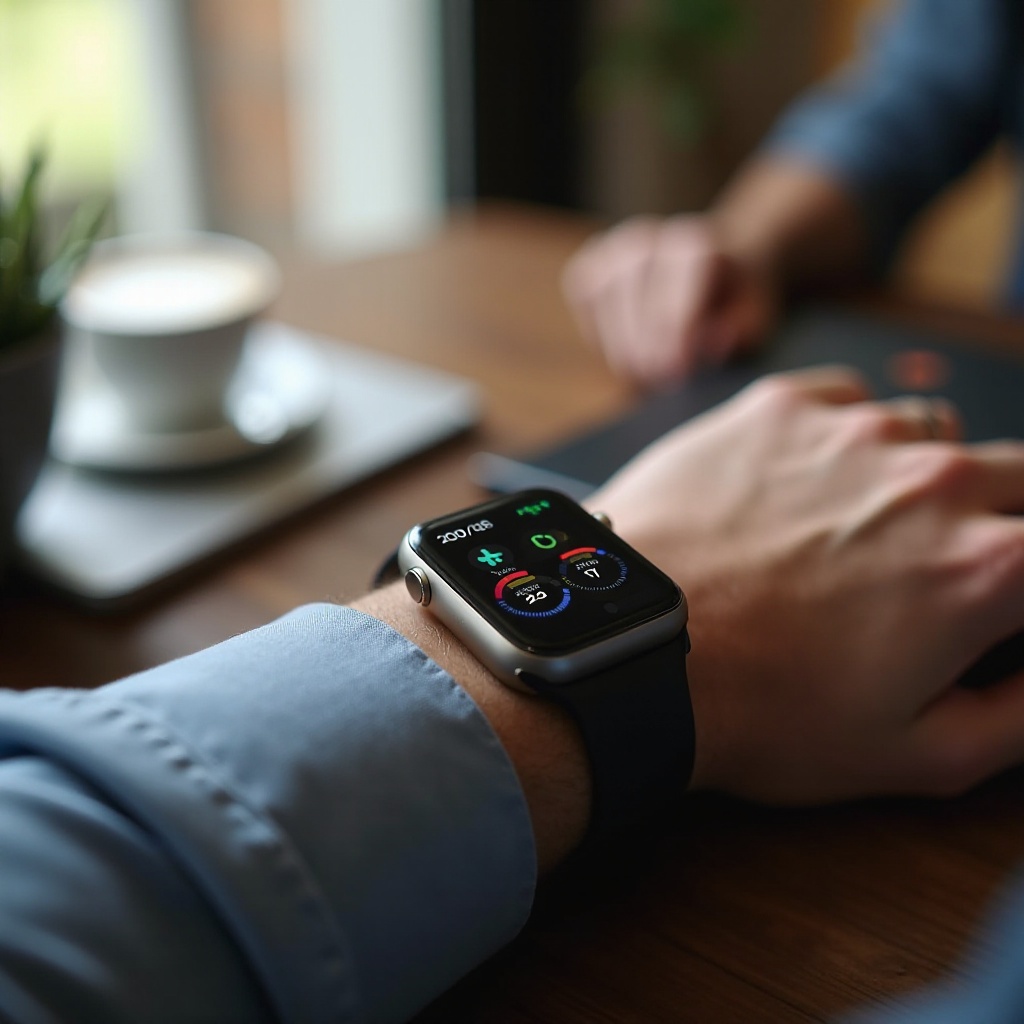
What a Smartwatch Can Do Today
Health and fitness tracking
Watches log steps, heart rate, and calories all day. Many offer GPS tracking for runs and rides with pace and distance data. You can see heart rate zones, recovery trends, and basic cardio fitness estimates. Some models read skin temperature during sleep and estimate blood oxygen. Others run ECG checks to flag signs of atrial fibrillation in supported regions. These features help you spot patterns and build helpful habits.
The best benefit comes from routine. Wear the watch most days, and you get trends that reflect your choices. You can spot late nights by the impact on resting heart rate. You can see how a long walk shifts your activity ring or goal. When you connect those dots, the data turns into action that moves the needle.
Safety and emergency features
Fall detection, crash detection, and SOS can call help and share your location. High and low heart rate alerts may warn you to slow down or seek care. Some watches alert you to irregular rhythms. LTE models place calls and messages without a phone nearby. These tools add peace of mind for users and families, especially for solo workouts, late commutes, or travel.
You can also set up medical ID details so responders can see key info. Family location sharing and check-ins reduce stress when schedules shift. These features feel invisible most days, but they matter in a pinch.
Notifications, calls, and quick actions
You can glance at alerts, archive emails, and reply with voice or quick texts. That helps you triage without grabbing your phone. You can accept calls from your wrist or silence them fast. Timers, alarms, and voice assistants make small tasks faster. Calendar alerts and haptics keep you on time without loud ringtones.
Over a day, these micro interactions save many small moments. You keep momentum during meetings, while cooking, or when your hands are full. Less phone time can also help you stay present.
Payments, transit, and smart keys
Tap to pay works at most terminals with watch payment wallets. Many city transit systems accept watch taps for entry. Some smart locks, hotels, and cars now support digital keys. Boarding passes and event tickets live on your wrist. You carry less and move faster through lines and gates.
Because you keep the watch on, you rarely leave your wallet or pass behind. It turns your wrist into a utility that smooths out daily chores.
Navigation and travel utilities
Turn by turn directions buzz your wrist before each turn. You can drop a pin for your parking spot and find it later. Weather, timers, and translations sit a tap away. Offline music and podcasts keep you going on runs without a phone. Compass and route back features help in parks and unfamiliar areas.
A smartwatch bundles many small wins into one device. With a sense of the capabilities, let us weigh the benefits that justify the price for the right buyer.
Benefits That Matter
Health insights and motivation
Continuous tracking turns daily choices into trends you can act on. Heart rate graphs, recovery tips, and estimated VO2 max guide smarter training. Move reminders and progress rings give gentle nudges. Shared activity adds accountability, while badges make streaks more fun.
These nudges work because they meet you at the right moment. A stand reminder gets you out of the chair between calls. A late night sleep score prompts an earlier bedtime the next day. Over time, small adjustments compound into better fitness and energy.
Convenience and time saved
The watch can remove dozens of phone pickups each day. You triage notifications, start timers, and pay at checkout in seconds. Voice dictation makes quick replies easy. After a few weeks, you notice how often you skip unlocking your phone. Less time on the phone means fewer chances to scroll without intent.
When work gets busy, this convenience becomes an edge. You keep context on your task, while still handling urgent pings. You move faster without feeling rushed.
Peace of mind with safety tools
Knowing you can call or text from your wrist eases stress. Fall and crash detection support solo workouts and long drives. Location sharing helps family coordinate pickups and check-ins. Medical ID and emergency contacts are accessible for responders.
These features are not flashy, but they change how you feel when you leave home. Confidence grows when the tools fade into the background and only surface when needed.
Ecosystem perks and cross device synergy
Pair a watch with the right phone and features feel seamless. Apple, Google, and Samsung watches unlock extras across earbuds, laptops, and tablets. Handoff features, calendars, and reminders sync everywhere. Payment cards, passes, and keys live within the same wallet. The result is a smooth, reliable experience that feels like one system.
These benefits are real, but you must weigh them against clear trade offs. Next, review the common downsides so you can plan around them.
Trade Offs and Limitations
Battery life realities
Most full featured models last one to two days. Always on displays, GPS, and LTE drain batteries faster. Sleep tracking cuts into the same battery window. You need a charging routine and a spare charger for trips. If you hate frequent charging, this may be a deal breaker.
Good habits help. Top off during a shower or while you brew coffee. Use low power modes on light days. Turn off features you do not use. These steps stretch battery life without sacrificing the features you love.
Screen durability and water resistance
Glass screens can scratch or crack during hard use. Rugged cases and screen protectors help but add bulk. Water ratings cover swims and showers on many models. Hot tubs, soap, and high velocity water can still be risky. Always check the specific rating and care guide before use.
If you work with tools or train on trails, choose tougher materials and raised bezels. They trade a little style for a lot more protection.
Sensor accuracy and data caveats
Optical sensors can struggle with tattoos, loose fit, or wrist motion. Wrist based heart rate is less precise than a chest strap during intervals. GPS accuracy can vary in cities and dense tree cover. Sleep stages are estimates, not medical diagnoses. Use trends, not single readings, to guide decisions.
If data matters for training, pair external sensors for key sessions. Combine heart rate from a strap with GPS from the watch to improve accuracy when it matters most.
Distractions and digital wellbeing
More alerts on your wrist can increase interruptions. Poor notification settings lead to constant buzzing. Curate apps and signals before day one. Turn off broad social alerts and keep only direct messages, calls, and work critical apps. Set focus modes and summary digests to keep attention on what matters.
When you design the signal and remove the noise, the watch supports your attention instead of stealing it.
Understanding limits prepares you to choose the right platform for your phone and your routine. With that clarity, let us compare platforms and pairing rules.
Platform Differences and Phone Compatibility
watchOS vs Wear OS vs Fitbit experiences
watchOS offers broad apps, tight iPhone integration, and polished fitness features. Wear OS pairs best with Android and supports Google services, maps, and third party apps. Fitbit emphasizes simple health tracking with longer battery life on select models. Each platform has a distinct feel, so consider which services you use daily.
If you live in a specific ecosystem, lean into it. Cross platform pairing often means trade offs that can cut core features.
iPhone vs Android pairing limitations
Apple Watch requires an iPhone to set up and use fully. Wear OS watches pair best with Android and offer limited features with iPhone. Some functions, like text replies or phone calls, depend on your phone brand and default apps. Before you buy, verify the exact pairing features for your phone.
A great watch on the wrong phone feels half baked. Matching the pair removes friction and lifts value.
LTE vs Bluetooth models
LTE watches make calls, stream music, and use apps without your phone. Bluetooth only watches need the phone nearby for data and calls. LTE adds monthly fees and drains battery faster. Choose LTE if you often leave your phone behind for runs, errands, or fieldwork.
With platform basics set, you can judge who gains the most from a smartwatch and why.
Who Gets the Most Value
Runners and fitness focused users
Built in GPS, wrist heart rate, and coaching plans support training. You can race with pace alerts and lap tracking. Recovery data and sleep trends guide rest days. If you log workouts often, the value adds up quickly. Route planning, music on wrist, and haptic cues streamline sessions.
If your workouts mix gym time and outdoor miles, a watch keeps both in one log. That single timeline reveals how different training blocks affect recovery and performance.
Commuters, travelers, and busy professionals
You screen alerts, manage calendars, and navigate without pulling out a phone. Tap to pay speeds transit and coffee lines. Boarding passes and gate changes appear on your wrist. Silent haptics relay meeting starts and reminders without disrupting others.
These tools reduce friction across a busy day. You move with less stress because the next step is always one glance away.
Parents, caregivers, and seniors
Emergency SOS, fall detection, and location sharing bring confidence. Quiet haptics nudge medication times. Family setup features on some platforms let you manage a watch for a child or older adult. You get quick contact with less tech complexity.
Safety tools can outweigh other trade offs when care and coordination matter most.
Students and on the go multitaskers
Timers, alarms, and quick notes help manage classes and tasks. Silent alerts keep you informed without disrupting lectures. Fitness nudges balance study marathons. A watch becomes a light, always available assistant that fits any schedule.
If you see yourself in these groups, the next step is to match budget to features that deliver daily value.

Price Tiers and What You Get
Under 150 dollars: basics and trade offs
Expect solid step tracking, basic notifications, and multi day battery. GPS may be tethered to your phone. App choices are limited. You give up premium materials, advanced sensors, and fast charging. For basic goals and tight budgets, this tier can be enough.
150 to 300 dollars: the value sweet spot
You get reliable tracking, on device GPS, and brighter screens. Many add NFC payments, more accurate sensors, and richer apps. Build quality improves with better cases and bands. This tier suits most first time buyers who want core features without a premium price.
300 to 500 dollars: premium features that matter
Expect faster chips, smoother animations, stronger app ecosystems, and more advanced health features. Many include ECG, fall detection, temperature sensing, and better haptics. Always on displays and fast charging reduce daily friction. If you use these features often, the extra cost feels justified.
500 dollars and up: niche and luxury advantages
You may see sapphire glass, titanium cases, longer warranties, or specialty sport features. Some add advanced mapping, dive modes, or extended battery options. Value here depends on style preferences or specific training needs. If those needs are real, this tier fits. If not, the midrange likely delivers better return.
With a price target in mind, factor in ongoing costs that affect total ownership.
Cost of Ownership and Subscriptions
Carrier plans and LTE fees
Cellular service adds a monthly line charge. Over a year or two, that cost can rival a midrange upgrade. Only choose LTE if you often leave your phone behind or if safety use cases justify it. Track your actual use after the trial month and cancel if you do not need it.
Health, coaching, and premium app subscriptions
Some health features live behind paywalls. Coaching plans, guided programs, and advanced metrics may require fees. Trials can auto renew, so set a reminder to review before billing hits. Pay only for services you use weekly. Free tiers often cover basics well.
Bands, chargers, and repair costs
Spare chargers and extra bands add up. Protectors and cases help, but premium repairs cost more. Consider extended warranties only if the math works. A simple budget that includes one extra band and one charger keeps surprises low.
If ongoing costs feel high, look at alternatives that deliver targeted value for less.
Alternatives to Consider
Fitness trackers and smart bands
Trackers cost less and last longer on a charge. They cover steps, sleep, and basic notifications. You lose rich apps, payments, and calls, but you keep core health features at a lower price. For many users, that is enough to meet goals without hassle.
Smart rings for 24 7 wear
Rings track sleep and recovery with minimal distraction. Battery life can stretch several days. They lack screens, calls, and payments, but they excel at passive wellness data. If you want insights without alerts, rings fit well.
Hybrid watches and analog options
Hybrids offer analog looks with hidden sensors and long battery life. You get subtle alerts and basic health tracking. They suit people who value style and simplicity. If you dislike screens but want light tracking, hybrids shine.
Dedicated sport watches for athletes
These emphasize GPS accuracy, training load, and battery life measured in days. They provide rugged builds and detailed metrics. App ecosystems are lighter but focused on performance. If you train for long events outdoors, this route can beat a general smartwatch.
If alternatives do not fit, use a simple framework to answer the core question for your situation.
Decision Framework: Is a Smartwatch Worth It for You?
If you prioritize health and recovery
- Yes, if you act on data. You check trends weekly and adjust training and sleep.
- Maybe, if you like badges but ignore insights.
- No, if you find wearables intrusive or stop wearing them.
If you prioritize productivity and convenience
- Yes, if you handle many alerts and want fast replies.
- Maybe, if you only need alarms and timers.
- No, if you keep your phone silent and enjoy being offline.
If you prioritize battery life and simplicity
- Yes, if you choose a low power tracker or hybrid model.
- Maybe, if you accept daily charging for richer features.
- No, if you refuse to charge more than weekly.
If you prioritize rugged outdoor performance
- Yes, if you need long GPS life and robust materials.
- Maybe, if weekend hikes are casual.
- No, if your phone and a small tracker already cover safety.
Ready to buy. Lock in the right model with a short checklist that turns needs into specs.
Buying Tips and Checklist
Match sensors and features to your goals
- List must haves such as GPS, ECG, fall detection, and tap to pay.
- Drop nice to haves that inflate price without daily value.
- Verify supported metrics in official specs and region notes.
Check phone compatibility and ecosystem
- Confirm full feature support with your phone brand.
- Look at app availability and services you use daily.
- Consider how it works with your earbuds, laptop, car, and wallet features.
Choose the right size, comfort, and battery
- Try two sizes, because comfort affects wear time and accuracy.
- Check battery estimates with your features turned on.
- Prefer fast charging if you track sleep and wear the watch 24 7.
Plan your budget and avoid hidden costs
- Set a device budget and an annual service budget.
- Factor in bands, chargers, screen protection, and possible repairs.
- Decline subscriptions you will not use after trials.
You now have a clear path from needs to purchase. Before you hit buy, close with a short verdict to keep your decision sharp.
Conclusion
Is a smart watch worth it. For many people, yes, if health insights, quick actions, and safety tools improve daily life. The value rises when you pair the right watch to your phone and actually use the features. It drops when charging feels like a chore or alerts never stop. Use the decision framework, match features to goals, and budget for ownership costs. If you mostly want simple tracking, a fitness band or smart ring may fit better. Make the device serve you, not the other way around, and you will see real returns day after day.
Frequently Asked Questions
Do I need a smartwatch if I already have a fitness tracker?
Keep your tracker if it meets your goals. Trackers deliver steps, sleep, and basic notifications with longer battery life and lower prices. Upgrade to a smartwatch if you want ECG, tap to pay, calls, richer apps, or safety tools like fall detection. If daily charging will annoy you, a tracker or hybrid watch may be the smarter choice.
Can a smartwatch replace my phone during workouts or errands?
Yes, for short periods if you choose an LTE model and pay for service. You can stream music, take calls, and use maps without your phone. Bluetooth only models still need your phone nearby for data. Battery life drops faster with GPS and streaming. For long runs, download playlists offline and cache routes to reduce drain.
Are smartwatches safe for health data and privacy?
Major platforms encrypt data and offer granular privacy settings. You choose what to share with third party apps. Lock your watch with a passcode, enable two factor authentication on accounts, and review app permissions. If sensitive data worries you, keep features local and avoid optional cloud sharing.